
Moderation Rules
What to signal
- Any form of bullying, intimidation, or abusive language directed at other members.
- Posting unsolicited advertisements, promotional content, or irrelevant links.
- Disclosing sensitive personal data of oneself or others without consent.
- Sharing content that is obscene, offensive, or violent.
- Pretending to be another member or misrepresenting oneself.
How to signal it
- Post discussion threads: Hover over the comment you want to report and click on the little red flag that appears. Once three different people have flagged someone, this person will be contacted. Subsequent failure to comply once more with the prohibited behaviors mentioned above will terminate their membership (the current month’s membership will not be reimbursed).

- Community network: Use the Report tab under the arrow on the right-hand side. If the webmaster agrees with your judgment, the concerned person will be contacted. Those who are twice at fault within four weeks will have their membership terminated (the current month’s membership will not be reimbursed).
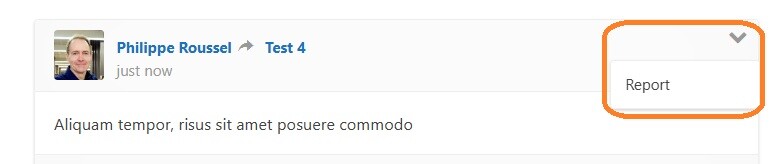
- Guest posts are checked only on a technical basis before publication. This is why, although less likely than in a spontaneous exchange, inappropriate content may sneak in. It can be reported using the Contact form (copy/paste the content and its URL). The moderator will then contact the author. Failure to comply with the prohibited behaviors mentioned above will result in termination of their membership (the current month’s membership will not be reimbursed).
Comment Features
You can:
- Be notified when someone answers your comment.
- Find others by specific topic keywords.
- Access a particular commenter’s profile (as a commenter).
- Give, in your own comment, direct reading access to others’ contributions elsewhere.
- See at a glance what all discussion threads offer overall.
More details are given below.
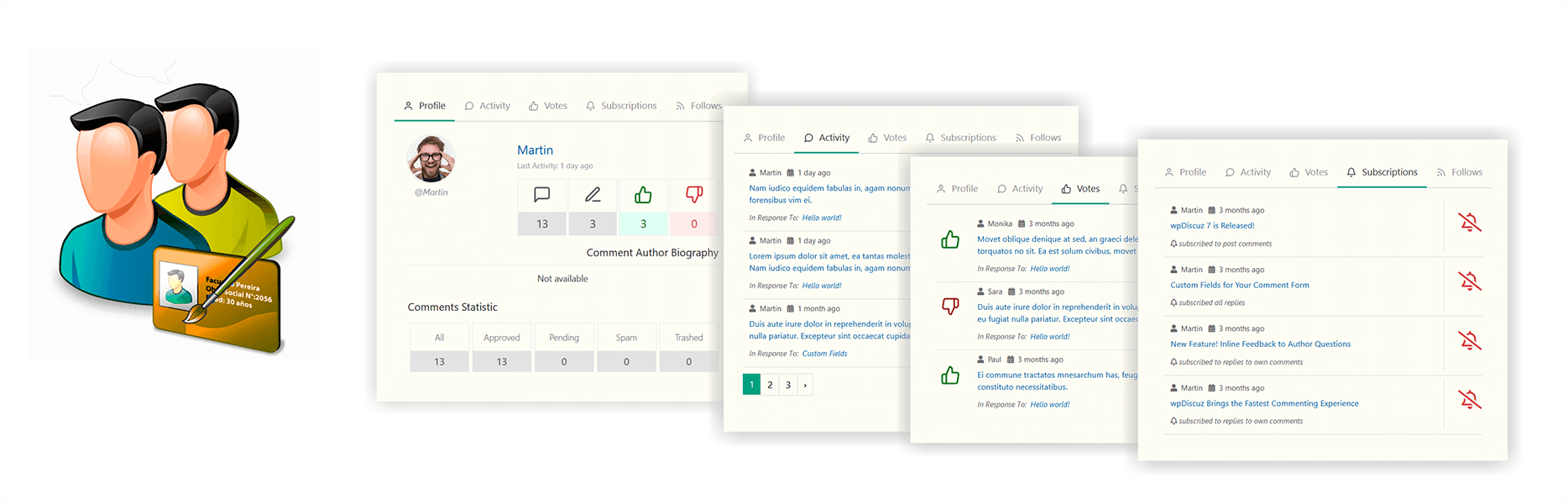
Comment Author Info – Click on the comment author info icon to open the following tabs: extended profile, activity, votes, and subscriptions to new comments.
*
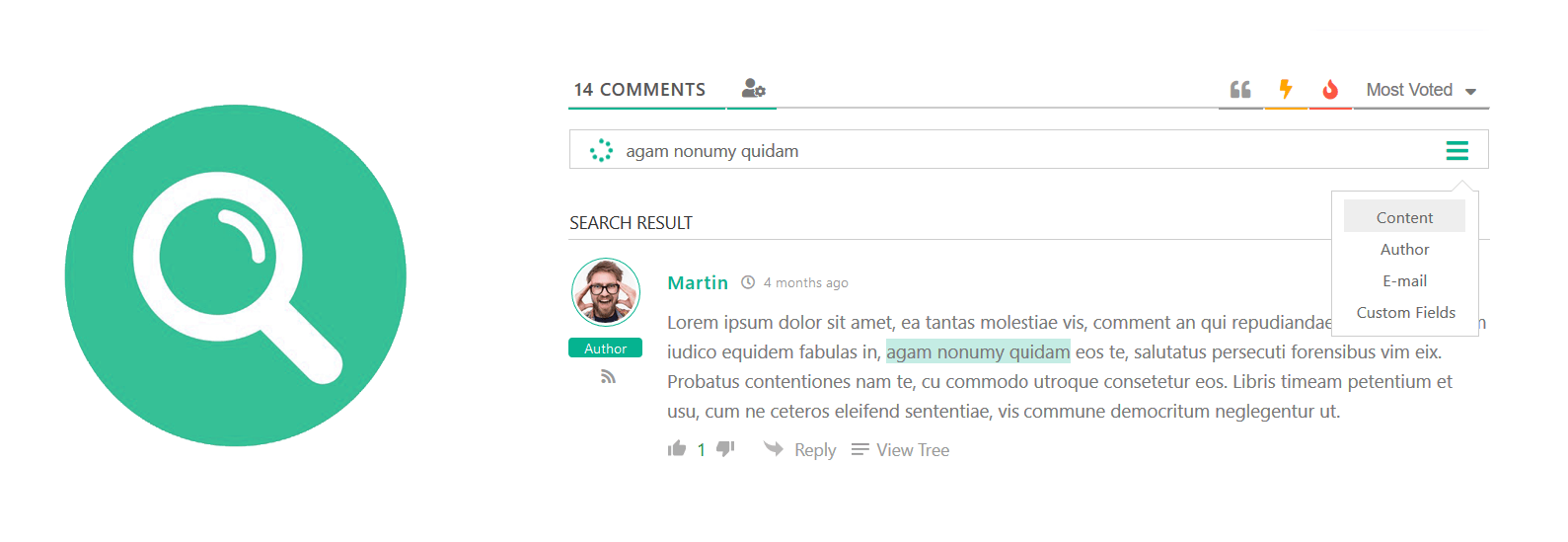
Comment Search – Use the search form to find comments according to four distinct modes: “comment text”, “comment author”, “custom fields”, and “comment author email”. A must to focus your search.
*
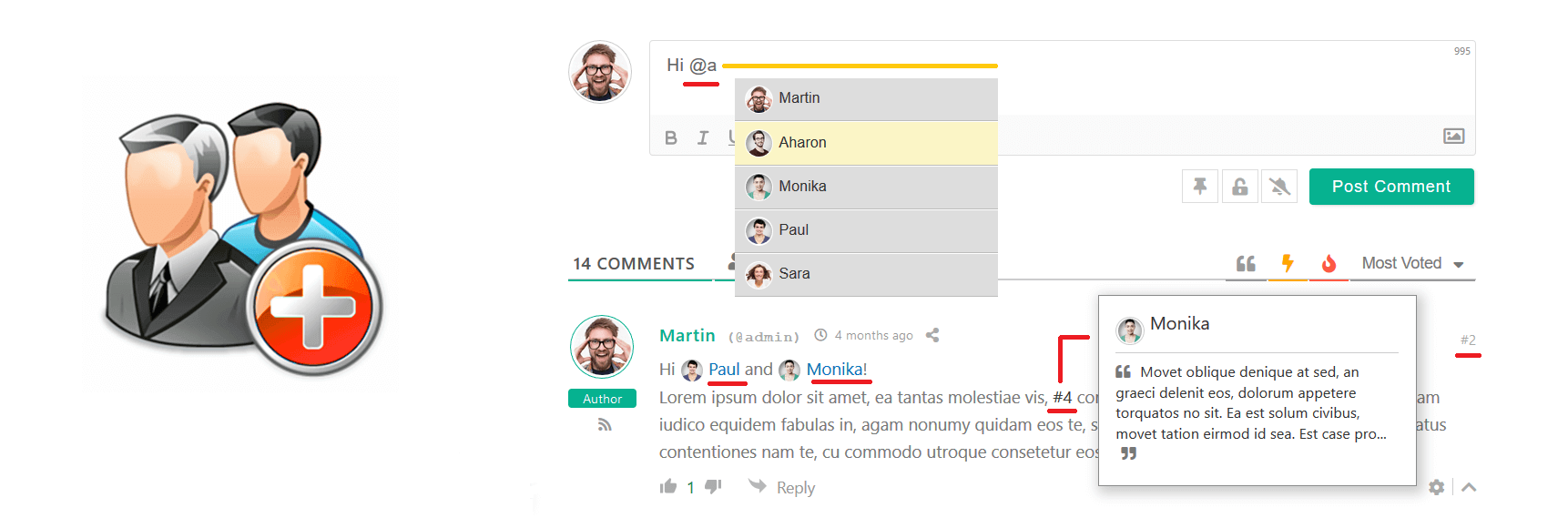
User & Comment Mentioning – Mention certain comments and users in your comment text using #comment-id and @username tags. This comes with a User Search bar, so you can easily find and tag any user or guest. It also displays each comment’s # ID so you can tag them. All mentioned users and comment authors will be notified via email, while @author and #comment-id are replaced by links with avatars. A pop-up window with user and comment information appears when you hover over @author and #comment-id links.
*
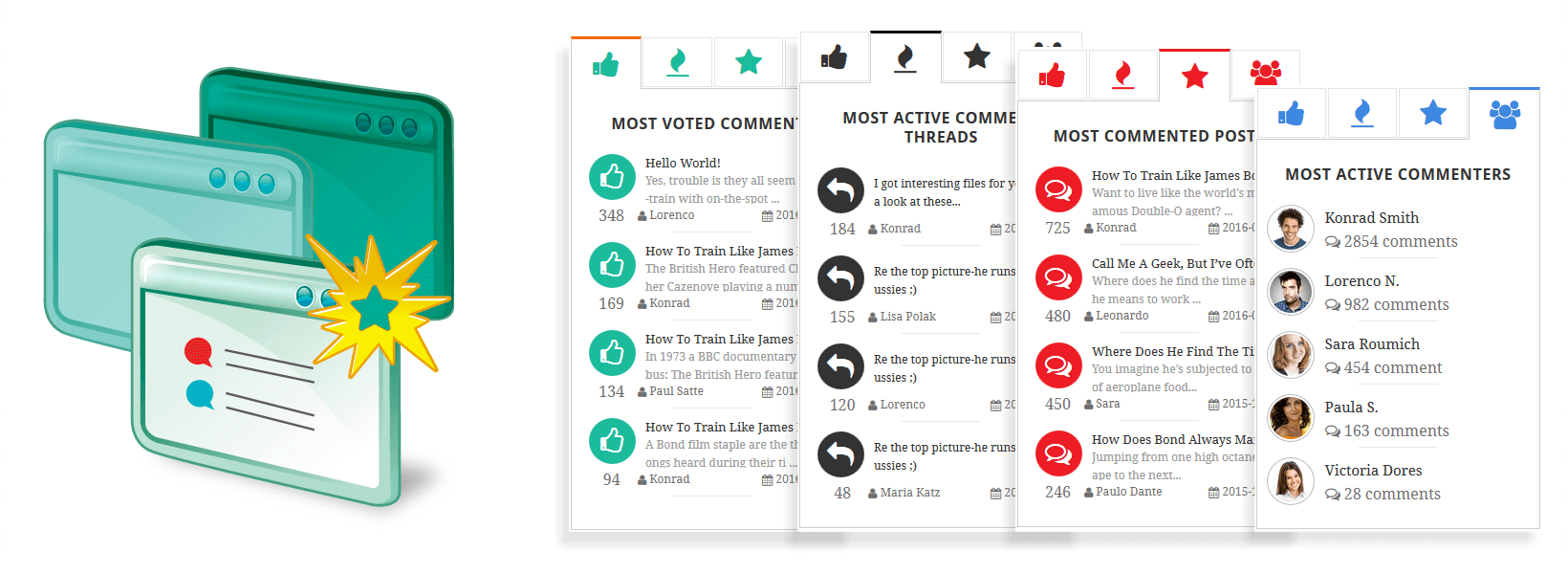
Most Popular and Newest Comments – To see at a glance the best that the interactions on the website have to offer, six tabs will appear at the top of the discussion thread when enough comments are made:
- Most Voted Comments
- Active Comment Threads
- Most Commented Posts
- Recent Comments
- Top Rated Posts
- Active Comment Authors